A build log for Gernx Telegram Commerce Pro. What it does, why each part exists, the bugs that cost me a week, and the things I still have not solved.
Why anyone would want to sell on Telegram
Most of my clients here in Dhaka do not get orders through a checkout page. They get them through chat. Someone sees a product, messages you, asks the price, asks about delivery, and pays the rider on arrival. The website is a catalog nobody buys from.
That gap has bothered me for years. The shop owner ends up copying orders out of a chat window into WooCommerce by hand, or into a notebook, which is worse. Stock goes stale because nothing decrements. Coupons do not apply because there is no cart to apply them to. At the end of the month, nothing reconciles, and the owner has no idea which products actually sell.
The usual answer is a chat widget that opens WhatsApp with a pre-filled message. That just moves the copying problem to a different app. The order still gets typed in twice.
So I built the checkout into the chat instead. The customer opens a Telegram bot, browses the same products, adds to cart, pays, and a real WooCommerce order appears in the admin with the correct tax, the correct shipping zone, and the correct gateway. Nothing gets retyped.
I picked Telegram over WhatsApp for a boring reason. The Telegram Bot API is free and doesn’t require message templates for approval. WhatsApp’s Business API charges per conversation and makes you submit templates for review. For a shop doing forty orders a month, that kills the idea before it starts.
What “selling in the chat” actually means
Here is the whole journey, because it is easier to understand than a feature list.
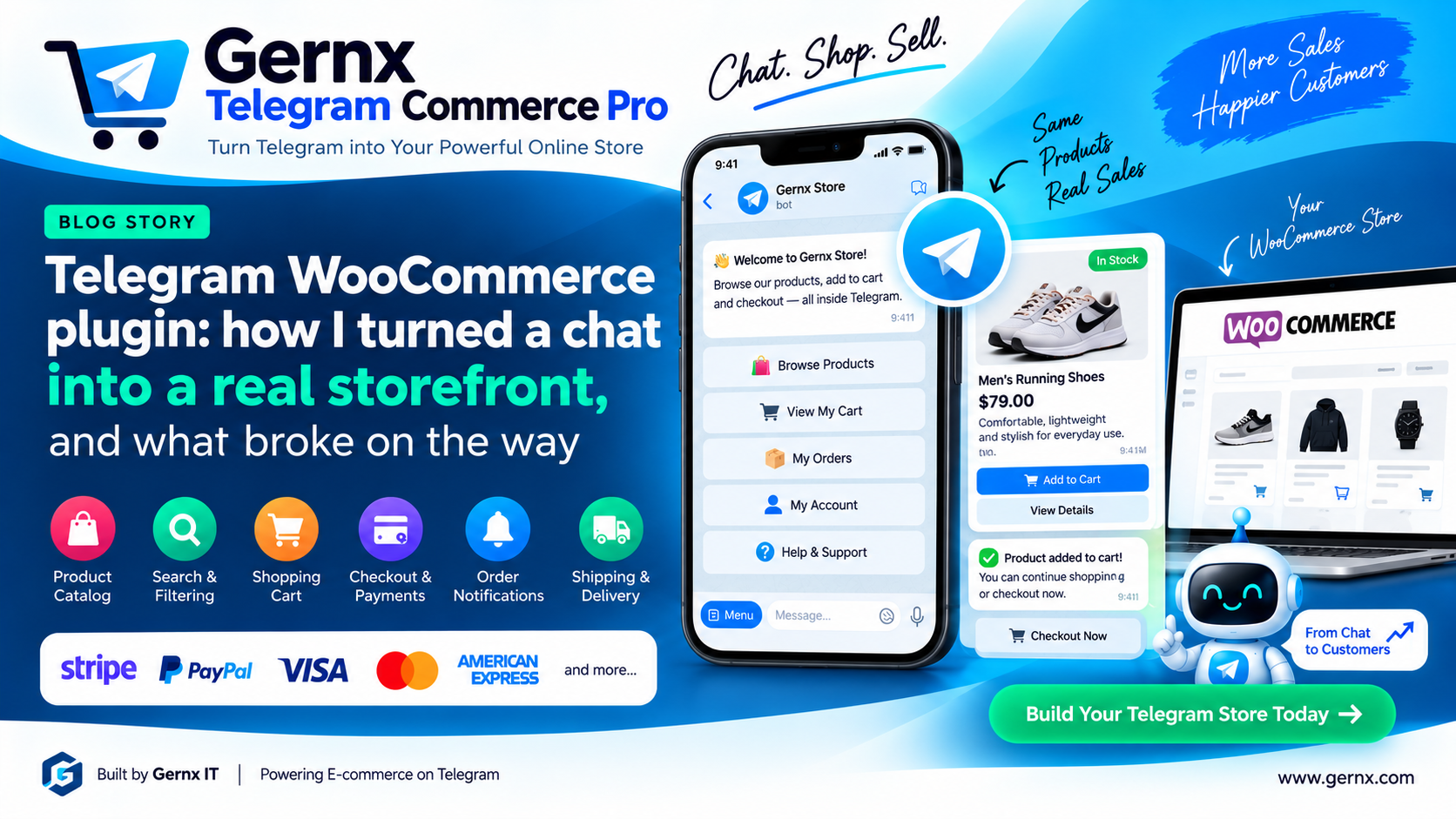
A customer sends /start. They get a welcome with your logo, a language choice if you have more than one enabled, and a menu with Shop, Search, Cart, Orders, Account, and Support. Tap Shop, and they see your categories, with sub-categories underneath and numbered pages if more products than fit.
Tap a product, and they get a card. Photo, title, description trimmed to whatever length you set, price with the sale amount and discount percentage worked out, live stock, and buttons to change quantity and add to cart. If the product has a gallery, they can page through the images inside the chat. If it is a variable product, they pick each attribute and the card updates with that variation’s own price and stock.
The cart shows line items, subtotal, tax, discount, and shipping. They can change quantities, remove things, add a coupon, leave a note, and get a shipping estimate once they give a postcode.
Checkout runs as steps: contact details, address, shipping method, payment method, then a review before they confirm. Country and state come from pickers, not free text, so the address matches a real WooCommerce shipping zone.
Then the order lands in WooCommerce like any other order.
The catalog is indexed, not queried live
The bot does not run a WooCommerce product query every time somebody taps a category. That would be slow, and it would fall over on a busy store.
Instead, there is a separate catalog index that syncs from your products. It updates when a product changes, and you can rebuild it by hand from the Catalog screen if something drifts. Variations get indexed alongside their parent, which is why the synced count is always higher than your product count. That confused me the first time I saw it in my own admin.
Product cards read from the index, so the reply comes back fast. Stock and price are checked against WooCommerce at the moment it matters, which is when the item goes in the cart and again at checkout, so nobody buys something at yesterday’s price.
Visibility rules carry over. If a product is hidden from your catalog, it stays hidden in the bot. There is also a per-product checkbox to hide something from Telegram only, plus category and product exclusion lists on the Catalog screen, and an availability-by-country rule for stores that cannot ship everywhere.
Search had to be forgiving
People type badly in chat. They type faster than they think, on a phone, one thumb, walking. If your search only does exact substring matching, you will return nothing most of the time, and they will give up.
So search covers titles, descriptions, SKUs, and optionally a barcode meta field. It has a synonym list you can fill in, typo tolerance, and a “did you mean” suggestion when nothing matches. Results can be filtered by category, tag, brand, price range, stock status, rating, product type, and sale status, and sorted seven ways, including relevance, newest, popularity, and price.
Recent searches and popular searches appear as buttons, which saves typing on a phone. Results are cached, with the cache flushed automatically when you change a filter setting because otherwise you spend an afternoon wondering why your change did nothing.
One decision I got wrong at first and had to fix: failed searches were being counted as popular terms. More on that further down, because it produced the single most embarrassing bug in the project.
The cart is a real cart
Quantities, coupons with all of WooCommerce’s own restrictions applied, cart notes, tax display, shipping estimates, and a save for later list.
Two parts of this took longer than the rest combined. The first is persistence. If a customer builds a cart in Telegram and then opens your website, the same cart should be there, and the other way round. That means syncing the Telegram cart with the WooCommerce session and the user’s saved cart, and handling the case where they are not logged in yet.
The second is what happens when the cart goes stale. Someone adds three items, disappears for two days, and comes back. One item is out of stock, one changed price, one coupon expired. The cart screen now shows exactly what changed and gives them buttons to accept the new price, change the quantity, remove the item, or pick something else. Checkout stays blocked until they resolve it. Silently charging a different price than the one they saw is the kind of thing that gets a shop bad reviews.
Checkout, and why card payments work differently
Checkout collects contact details, billing address, shipping address if it differs, a shipping method, a payment method, and consent to your terms and privacy policy if you require it. Guests can check out, or a customer can link their existing account and have everything pre-filled.
Card and PayPal orders need a different approach than cash on delivery, and this is worth understanding before you buy any plugin that claims in-chat checkout.
A card gateway needs card data. Card data cannot exist inside a Telegram webhook, and you would not want it to. So the plugin creates the order, sets it to Pending payment, and sends the customer a secure payment link that opens your normal WooCommerce payment page. They pay there, the gateway calls your site back, and the order updates.
Cash on delivery has no such problem and goes straight through to Processing, or whatever status you configure.
I mention this because an earlier version created card orders immediately, and they all came out as Failed, since the gateway was being executed inside the webhook where no card data exists. That was a design mistake, not a small bug, and fixing it meant restructuring how orders get created.
Shipping and payments follow your WooCommerce settings
Shipping rates come from your actual zones. Free shipping thresholds work, and the cart tells the customer how much more they need to spend to qualify. Local pickup shows as ready for collection rather than a delivery estimate.
On top of that, there are carrier names, transit day estimates, an order cutoff time, working days, holidays, and optional delivery date and time slot pickers. The cutoff feature exists because a shop owner asked me why customers kept expecting same-day delivery on orders placed at 11 pm.
Payments have a gateway allow list so you can offer only some of your methods in Telegram, per-method fees, a payment link expiry, and a log of every payment event. The status mapping is configurable because shops disagree about whether a cash on delivery order should be Processing or On hold, and both are defensible.
Two-way support was the feature I did not plan
Forwarding support messages to Telegram was easy. Replying to them was not, and for a while the plugin could receive a question but had no way to answer it. The shop owner had to go find that customer some other way, which defeats the point.
Now every forwarded request carries a line saying “Reply to this message to answer the customer”. You swipe reply in your own Telegram, and the answer lands in that customer’s chat inside the bot, signed with whatever name you set. Back and forth as long as you like. Groups work, so a support team can share one inbox. Channels work too, though a group is better because replies carry the person’s name.
Pairing your inbox used to mean hunting for a numeric chat ID, which is where a genuinely stupid number of my problems came from. So there is a one-time code now. Press a button in wp-admin, send /connect ABC123 to your bot, and that chat becomes the support inbox. No IDs.
The bot can also answer common questions itself. You write a keyword list, one line each, in the form keywords | answer. Delivery times, return policy, payment methods, whatever you get asked twenty times a week. The line matching the most keywords wins, so a specific rule beats a general one no matter what order you wrote them in. The customer then picks “That solved it” or “Talk to a person”, and only the second one reaches you, with their original question forwarded so they do not type it twice.
Email is the last resort, not the first. It fires only when no Telegram inbox is connected or when Telegram delivery actually fails.
Eight languages, and why that mattered more than I expected
English, German, French, Spanish, Italian, Portuguese, Arabic, and Bengali. Every bot string is translated, 226 of them per language, and customers choose their own from the menu. The choice sticks to their session.
I built this for the obvious reason, which is that I work with Bangladeshi shops and their customers want Bengali. What I did not expect is how much European buyers care. A German store owner does not want their customers reading English button labels. That single feature has come up in more conversations than the entire checkout.
The plugin ships a complete .pot file too, so anything you disagree with can be retranslated, and a filter lets developers add languages that are not in the box.
The website side
An “Order via Telegram” button on product pages, a floating chat button, a channel block, and three Elementor widgets. The product button deep links straight to that product inside the bot, and the deep link respects your visibility rules, which took an annoying amount of care for something nobody will ever notice.
The week I lost to six bugs
The bot could not message itself
This sat in my error log for four days before I looked properly.
Forbidden: the bot can't send messages to the botEvery order, every payment, every support request. Same line, over and over, since the first of the month.
I had entered my bot’s own numeric ID as a notification destination. A bot cannot message a bot, so Telegram refused every time. The plugin retried forever and told me nothing useful.
My ID was wrong, fine. But the plugin let me save it, then kept hammering a chat that was never going to accept anything, and said nothing on screen. It now refuses the bot’s own ID at save time. Destinations that hit a permanent Telegram error (blocked, kicked, chat not found) switch themselves off and show the reason. Rate limits still retry. Those actually recover.
My support emails were bouncing, and Gmail was right to bounce them
550-5.7.26 Unauthenticated email from gmail.com is not accepted
due to domain's DMARC policy
My WordPress admin email is a Gmail address. The site sends from its own server. So the From header said gmail.com while the message came from a host Google has never authorised to send for gmail.com. Google rejected it, exactly as it should.
This is not really a plugin bug. It breaks order emails, password resets, and everything else on any site set up that way. But the plugin was making it worse by using the default From, so it now sends from the site’s own domain with Reply-To set to the support address. DMARC passes.
If your admin email is on gmail.com, outlook.com, or yahoo.com, go and check your order emails are actually arriving. I would bet money some of them are not.
Support questions were being answered with product search results
This is the one that embarrassed me.
A customer pressed Support, got “Send your question and our team will reply here”, typed “i want help for payments”, and the bot replied, “No products matched your search.”
Two mistakes stacked. The support state reset to idle the moment the first message was forwarded, so the next sentence of the same question got read as a product search. Then, because failed searches were being saved as popular terms, the no results screen offered “i want help for payments” back as a suggested search. So the dead end was recommending itself.
Support now stays open until the customer presses Back or sends a command. Searches that match nothing are still counted for the reports but never suggested to anyone. And the no results screen has a Support button on it, because a customer typing a question instead of a product name is a customer trying to reach a person.
The Delete button did not delete
I clicked Delete on a destination. WordPress said, “Destination removed.” The row was still there. Clicked again. Same message. Same row.
Destination IDs were generated with wp_generate_password(), which mixes upper and lower case. Every read of a submitted ID runs through sanitize_key(), which lowercases. So the stored key was dest_QlEWegFY , and the lookup was for dest_qlewegfy. They never matched. unset() removed nothing, and the handler cheerfully reported success.
It failed almost every time. On bots too. And I had shipped it.
IDs are lowercase from birth now, old mixed-case rows are matched without case so they can finally be removed, and a delete that finds nothing says so.
The missing minus sign
A channel ID that will not work:
1003966589100The same ID that works:
-1003966589100Telegram channel and supergroup IDs start with -100. Copy one from the wrong place and the minus goes missing, at which point Telegram reads it as a user ID that does not exist and answers “chat not found” forever.
Chat IDs get checked with Telegram before they are stored now. A channel ID pasted without its minus is corrected for you, and the row is named after the actual chat instead of “Destination”.
There is a subtler version of this. A channel can receive support requests but could not answer them, because a reply typed in a channel arrives as a channel_post update and the webhook was only subscribed to message. My replies were going nowhere and nothing said so.
Fifteen seconds
Bad Request: query is too old and response timeout expiredTelegram gives you about fifteen seconds to acknowledge a button press. That acknowledgement only clears the spinner on the button, so the customer’s action already happened either way. But if you do the WooCommerce work first and acknowledge afterwards, you will miss the window on any slow operation and fill your log with alarming red text about nothing.
Acknowledge first, then work. And do not log it as an error when it happens anyway, because there is nothing the shop owner can do about it.
Things I have not solved
The connection tester runs eight checks, and I still cannot make it prove the one thing that matters, which is whether a real customer’s message will get a reply. It can tell you the token is valid, the webhook is registered, WooCommerce is present, and Telegram accepted a test message. It cannot tell you your host will finish a checkout inside Telegram’s timeout on a Tuesday afternoon with forty people browsing.
I also do not know how the catalog index behaves on a store with 50,000 products. Mine tops out around 800. If yours is bigger and something falls over, I would genuinely like to hear about it.
And the bot’s self-service answers are keyword matching, not AI. That is a deliberate choice, because a keyword list runs on your server for free and never invents a refund policy you do not have. But it does mean you have to write the answers yourself, and a customer who phrases things unusually will get passed to you.
What to check before you install anything like this
Telegram requires HTTPS with a real certificate for webhooks. Self-signed will not work, and neither will Cloudflare’s Flexible SSL, which is not really SSL as far as your origin server is concerned. Use Full or Full Strict.
Your REST API has to be reachable at /wp-json/. Plenty of security plugins block it by default, and the bot will simply never respond, with no error anywhere to explain why. Whitelist the plugin’s route.
Check your admin email, as above.
And know your chat ID shapes before you start typing them anywhere. A person is a positive number around ten digits. A group starts with a minus. A channel or supergroup starts with -100. Half the support questions I get are one of these three being confused for another.
Common questions
Do customers need a Telegram account?
Yes. Telegram is free and works on phones, desktop, and web, but there is no way around the account. For markets where Telegram is already common, this is not a barrier. For markets where it is not, this plugin is probably the wrong tool.
Does it replace my website checkout?
No, it runs alongside it. The same products, stock, coupons, tax rules, and gateways serve both. Orders from Telegram appear in WooCommerce marked with their source, so you can see which channel is actually earning.
Can I take card payments in the chat?
The customer starts the order in the chat and finishes payment on your normal secure payment page through a link. No card details ever pass through Telegram. Cash on delivery completes entirely in the chat.
What happens if Telegram is down?
Your website keeps working normally. The bot stops responding until Telegram comes back, and the webhook health monitor will show the failure on your Dashboard. Nothing is lost.
Does it work with variable products?
Yes, with attribute pickers in the chat, per-variation price and stock, and a clear message when a combination does not exist rather than a silent failure.
Will it slow my site down?
The bot runs through the REST API, so it does not touch normal page loads. The catalog index adds a small amount of work when a product is saved. The front-end assets are a small CSS file and a small script, and only load if you enable the website buttons.
Where it stands
Version 1.1.2, about 27,000 lines of PHP, and I have tested every admin screen with WooCommerce switched off entirely because that was the ugliest state I could put it in.
None of the bugs above came out of a QA checklist. They came out of a week of an actual shop using it and me finally reading my own error log properly. That is the only kind of testing that catches a Delete button that does not delete.